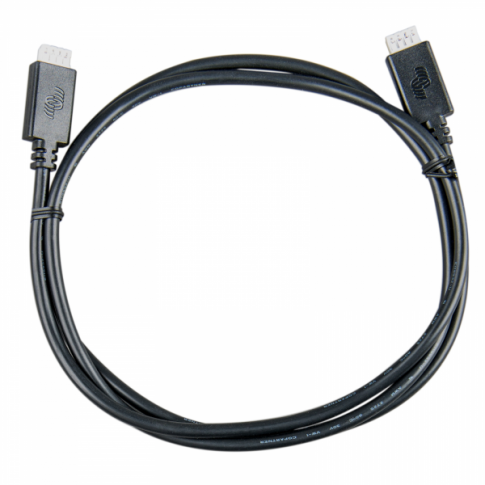
Victron VE.Direct cable (0.9m) to connect MPPT Control panel to BlueSolar / SmartSolar MPPT solar charge controllers
Victron VE.Direct cable (0.9m) to connect MPPT Control panel to BlueSolar / SmartSolar MPPT solar charge controllers
SKU:VE-DCABLE09
Our stock levels are dynamic and can change frequently. If a product appears to be in stock, it may have already sold out. Please contact us if you have any questions about availability. Thank you for your understanding.
Couldn't load pickup availability
VE.Direct Cable 0.9m | VE-DCABLE09
High-Performance Data Communication Cable
The VE-DCABLE09 is a premium 0.9-meter VE.Direct communication cable designed for seamless integration within advanced power management systems. This cable is essential for connecting various peripheral devices to a central controller or monitoring unit, ensuring real-time data transmission and system synchronization.
Key Features
- ✔ High-speed data synchronization
- ✔ Plug-and-play installation
- ✔ Durable straight-connector design
- ✔ Optimized for Victron Energy ecosystems
Technical Specs
| Length: | 0.9 Meters (approx. 3ft) |
| Interface: | VE.Direct (4-pin) |
| Connector: | Straight to Straight |
| Communication: | Serial TTL |
Compatibility / Fitment Guide
| System / Device | Models | Notes |
|---|---|---|
| Solar Controllers | BlueSolar & SmartSolar MPPT | All models with VE.Direct port (except 70/15) |
| Battery Monitors | BMV-700, BMV-702, BMV-712 Smart | Connects monitor to GX device or LCD panel |
| GX Communication | Color Control GX, Venus GX, Cerbo GX | Required for central monitoring hub |
| Remote Panels | MPPT Control, Battery Alarm GX | Standard data interface |
OEM Cross Reference
| Manufacturer Part Number (MPN) | ASS030530209 |
| Common Industry SKU | VE-DCABLE09 |
Installation Guide
1. Power down your system components to prevent electrical surges.
2. Identify the VE.Direct port on your devices (typically labeled).
3. Insert the 4-pin connector firmly into the port until it clicks into place.
4. Repeat for the other end of the cable on the second device.
5. Secure the cable with ties to prevent strain on the connectors. Professional installation recommended for complex GX system setups.
Questions & Answers
Is this a genuine original part?
This is a premium quality aftermarket replacement part, manufactured to meet or exceed original equipment (OE) standards for fitment and high-speed data performance.
How do I know if it is compatible?
If your device features a 4-pin white VE.Direct port, this cable is the correct interface. It is specifically used for Victron Energy MPPTs and BMV battery monitors.
Can I use this for Bluetooth communication?
This is a physical cable for wired data connection. While it facilitates communication, it does not add Bluetooth functionality on its own. For Bluetooth, please use a VE.Direct Bluetooth Smart Dongle.
Note: Please verify your device's interface type against the technical specifications above before purchasing. Domain: solarika.co.uk.
Share