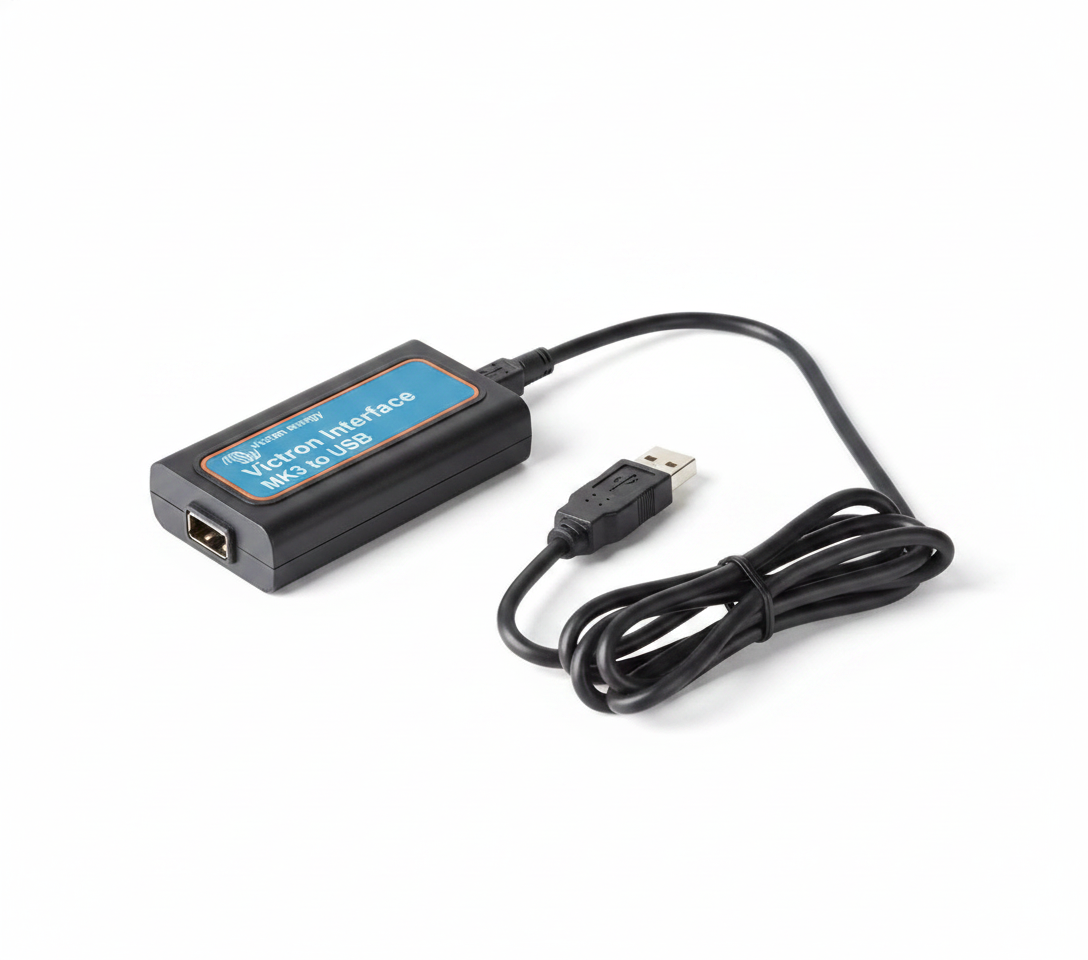


Victron Interface MK3-USB (VE.Bus)
Victron Interface MK3-USB (VE.Bus)
SKU:792-ASS030140000
Our stock levels are dynamic and can change frequently. If a product appears to be in stock, it may have already sold out. Please contact us if you have any questions about availability. Thank you for your understanding.
Couldn't load pickup availability
Victron Interface MK3-USB (VE.Bus)
VE.Bus to USB Communication & Configuration Tool for Victron Systems
The Victron Interface MK3-USB (VE.Bus) is an essential communication tool designed to connect Victron Energy VE.Bus products to a computer. This interface enables comprehensive configuration, system setup, and firmware updates for a wide range of compatible Victron inverters, inverter/chargers, and other VE.Bus devices.
Ideal for installers and advanced users, the MK3-USB facilitates detailed parameter adjustments and diagnostics, ensuring your Victron power system operates optimally. It bridges the gap between your VE.Bus equipment and Victron's powerful configuration software, such as VictronConnect and VE.Configure.
Essential for Setup: Enables comprehensive configuration and firmware updates for Victron VE.Bus products.
Key Features
| ▶ VE.Bus to USB Connectivity — Seamlessly links Victron Energy VE.Bus devices to a computer for management. |
| ▶ Comprehensive Configuration — Access and adjust all settings for Multi, Quattro, and other VE.Bus products. |
| ▶ Firmware Update Capability — Easily update device firmware to ensure optimal performance and features. |
| ▶ Diagnostic Access — Facilitates troubleshooting and system analysis via Victron software. |
| ▶ Wide Compatibility — Supports Victron Multi, MultiPlus, Quattro, EasySolar, and more VE.Bus devices. |
Technical Specifications
| Parameter | Value |
|---|---|
| Manufacturer | Victron Energy |
| Model | Interface MK3-USB |
| MPN / SKU | ASS030140000 |
| Connection Type (Device Side) | VE.Bus (RJ45) |
| Connection Type (Computer Side) | USB |
| Primary Functions | Configuration, Firmware Updates, Diagnostics |
| Compatible Software | VictronConnect, VE.Configure |
| Supported Operating Systems | Windows, macOS, Android |
Connectivity & Configuration
The Victron Interface MK3-USB provides a direct and reliable connection between your Victron VE.Bus device and a computer. Simply connect the MK3-USB to the VE.Bus port on your inverter or inverter/charger using a standard RJ45 UTP cable (not supplied). The other end of the MK3-USB plugs into a USB port on your Windows, macOS, or Android device.
Once connected, you can use Victron Energy's dedicated software, such as VictronConnect or VE.Configure, to access and modify all configurable parameters, perform essential firmware updates, and conduct diagnostics. This interface is specifically designed for VE.Bus products and is not compatible with VE.Direct devices.
Typical Applications
| Application | Description |
|---|---|
| Off-Grid Solar Systems | For configuring inverter/chargers in standalone power setups. |
| Grid-Tied Battery Backup | Setting up backup power systems with Victron inverter/chargers. |
| Marine & RV Installations | Customising power systems in boats and recreational vehicles. |
| Industrial Power Solutions | Managing complex Victron energy systems in various industrial settings. |
Common Questions
What is the Victron MK3-USB used for?
The Victron Interface MK3-USB is an interface tool designed to connect Victron Energy VE.Bus products to a computer for configuration, system setup, and firmware updates.
Which Victron products are compatible with the MK3-USB?
It is compatible with Victron VE.Bus enabled devices such as Multi, MultiGrid, MultiPlus, MultiPlus-II, Quattro, ECOmulti, EasySolar, EasyPlus, VE.Bus BMS V2, and other inverters/inverter/chargers with a VE.Bus communication port. It is not compatible with VE.Direct products.
What software do I need to use with the MK3-USB?
You will need VictronConnect or VE.Configure software, which are available for Windows, macOS, and Android operating systems.
Is an RJ45 cable included with the MK3-USB?
No, an RJ45 UTP cable is required to connect the MK3-USB to your Victron VE.Bus device and is sold separately. It is recommended to use a factory-made cable for reliable communication.
Installation Notes
- Requires an RJ45 UTP cable (not supplied) to connect the MK3-USB to your Victron VE.Bus device.
- Ensure the Victron device is powered during configuration and firmware updates.
- Always follow Victron Energy's official documentation and software guides for detailed setup instructions.
- For complex systems or initial parallel/three-phase configurations, professional installation and setup are highly recommended.
Before You Buy
- Verify that your Victron product has a VE.Bus communication port. The MK3-USB is specifically for VE.Bus devices and is not compatible with VE.Direct products.
- Ensure you have a compatible computer or Android device (Windows, macOS, or Android) and the necessary Victron software (VictronConnect or VE.Configure) installed.
- An RJ45 UTP cable is required for connection and is sold separately. Consider purchasing a high-quality, factory-made cable for reliable communication.
Product specifications are subject to change by the manufacturer. Always verify compatibility and details with your specific system requirements before purchase.
Share