
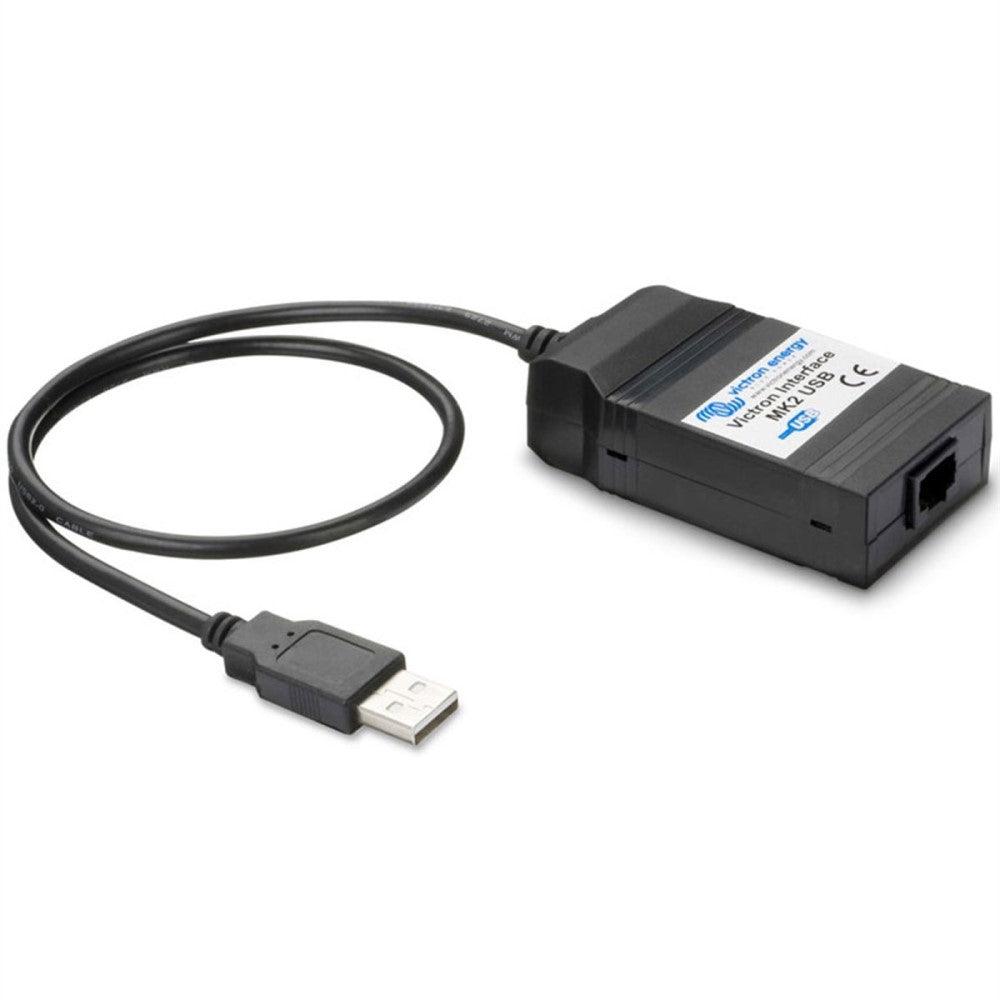
Victron Interface MK2 - USB
Victron Interface MK2 - USB
SKU:792-ASS030130010
Our stock levels are dynamic and can change frequently. If a product appears to be in stock, it may have already sold out. Please contact us if you have any questions about availability. Thank you for your understanding.
Couldn't load pickup availability
Victron Interface MK2-USB
RS-485 to USB Converter | For Victron Phoenix Inverters & VE.Net Systems
The Victron Interface MK2-USB is an essential communication tool designed to bridge the gap between your Victron Energy RS-485 enabled products and a personal computer. This interface allows for direct USB connection to devices such as Victron Phoenix Inverters and VE.Net systems, enabling comprehensive monitoring, configuration, and diagnostics from your PC.
Ideal for installers, system integrators, and advanced users, the MK2-USB simplifies the process of accessing and adjusting critical parameters of your Victron energy system. It ensures you have full control over your setup, facilitating optimal performance and troubleshooting.
SYSTEM INTEGRATION: Essential for PC communication with Victron RS-485 devices.
Key Features
| ▶ RS-485 to USB Connectivity — Enables direct PC connection for Victron devices. |
| ▶ Parameter Configuration — Allows setting and reading out system parameters via software. |
| ▶ Comprehensive Monitoring — Facilitates detailed system monitoring and diagnostics. |
| ▶ Broad Victron Compatibility — Works with Phoenix Inverters, VE.Net, and other RS-485 products. |
| ▶ Simple Integration — Designed for straightforward setup with existing Victron systems. |
Technical Specifications
| Parameter | Value |
|---|---|
| Manufacturer | Victron Energy |
| Model | Interface MK2-USB |
| MPN | ASS030130010 |
| SKU | 792-ASS030130010 |
| Connectivity | RS-485 to USB |
| Dimensions (L x W x H) | 140 x 140 x 40 mm |
| Weight | 0.06 kg |
Operating & Power Guidance
| Aspect | Detail |
|---|---|
| Function | Data communication interface for Victron systems. |
| Interface Type | RS-485 (VE.Bus/VE.Net) to USB. |
| Purpose | System monitoring, configuration, and diagnostics. |
| Power Source | Typically USB bus powered from the connected computer. |
Typical Applications
| Application | Description |
|---|---|
| Off-Grid Systems | Monitoring and configuring Victron inverter settings in remote or standalone installations. |
| Marine & Automotive | Integrating Victron energy systems with onboard PC monitoring for boats, RVs, and vehicles. |
| Residential & Commercial | Advanced diagnostics and parameter adjustments for home or business energy systems. |
| System Integration | Connecting multiple Victron RS-485 devices to a central PC for unified control. |
Common Questions
What is the primary function of the Victron Interface MK2-USB?
It serves as a communication bridge, allowing you to connect Victron Energy products equipped with an RS-485 data port (such as Phoenix Inverters and VE.Net systems) to a computer via a standard USB connection.
Which Victron products are compatible with this interface?
The MK2-USB is designed for Victron products that utilise an RS-485 data port, including Phoenix Inverters and VE.Net systems. Always verify compatibility with your specific Victron device model.
What software is required to use the MK2-USB interface?
To utilise the interface for monitoring and configuration, you will typically need Victron Energy's proprietary software, such as VE.Configure or VE.Net software, installed on your PC.
Installation Notes
- Connect the RS-485 port of your compatible Victron device to the interface.
- Connect the USB port of the interface to your computer.
- Install the necessary Victron Energy software and drivers on your PC as per manufacturer instructions.
- Ensure correct communication settings are selected within the software for proper operation.
Before You Buy
- Verify that your Victron Energy product has an RS-485 communication port for compatibility.
- Confirm the required Victron software (e.g., VE.Configure, VE.Net software) for your specific device is available for your computer's operating system.
- Consider the appropriate lengths of USB and RS-485 cables needed for your intended installation setup.
Specifications are based on verified manufacturer data and are subject to change. Always consult the latest Victron Energy documentation for precise details and compatibility before purchase.
Share
